
Add a Payment Method from Home Screen

Add a Payment Method from Pay My Bills Screen
Add a Payment Method from Settings --> Payment Accounts

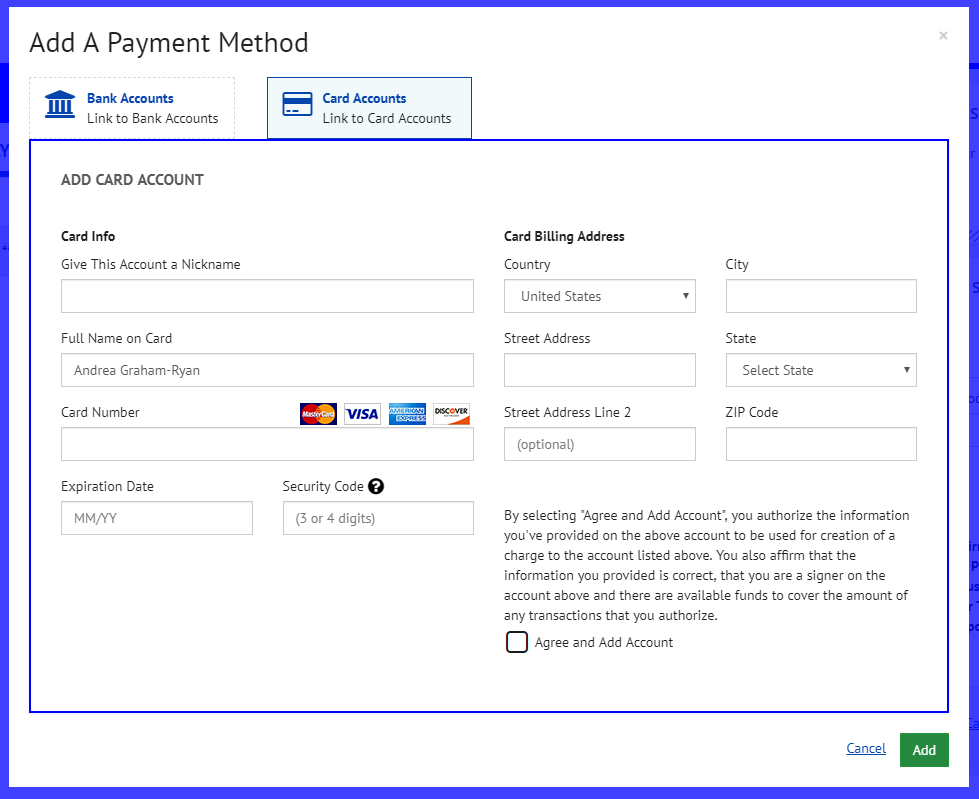
Input Either Credit/Debit Card or ACH information

Edit / Delete Payment Methods
Under Settings --> Payment Accounts, you can view, edit or delete your payment methods.

Edit your Payment Method

Delete your Payment Method
Selecting the "trash can" icon will prompt you to confirm that you would like to delete this method.

Please note that should a payer have a same day payment scheduled and delete the related payment account, the payment will still process. However, if the payment account which is being deleted is associated to a recurring payment, then the system will delete the recurring payment automatically if the related payment account is deleted. When the payment account is deleted there is no notification made to the consumer to indicate that deleting the payment account will result in the related recurring payment being deleted.
Comments
0 comments
Please sign in to leave a comment.